
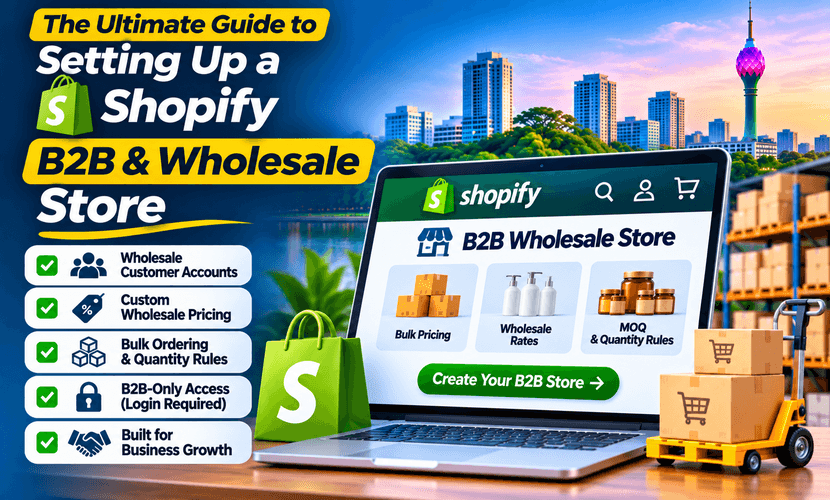
A Shopify B2B wholesale setup is not a retail theme with “contact us for price” in the footer. Trade buyers need an account, a price that is not the public price, and a way to reorder without emailing a spreadsheet. This guide is that build, for brands in the US, UK, Australia and Europe as well as merchants who sell from Sri Lanka.
XLOXI PVT LTD is a Shopify Partner. We publish B2B apps on the Shopify App Store and set up wholesale stores remotely. We do not invent sales figures for unnamed clients. The proof you can open is the apps, the Partner listing, and a scoped quote.
What B2B ecommerce on Shopify actually includes
B2B ecommerce on Shopify means a logged-in buyer sees their catalogue and their price. A guest either sees retail, or sees nothing until you approve the company. The pieces are:
- Company accounts. A buyer belongs to a company, sometimes with more than one location and more than one staff login.
- Catalogues. Which products that company can buy, separate from the public shop.
- Price lists and quantity rules. Net price, volume breaks, minimums and pack sizes.
- Approval. New companies do not get wholesale prices on the first click. Someone on your team accepts them.
- Payment and paperwork. Card, net terms where the plan allows them, and an invoice the buyer can file.
Retail D2C can live on the same store. It should not share the wholesale price list. If both audiences matter, decide that before the theme, not after the first trade customer screenshots a net price.
Shopify Plus B2B features, and what lower plans can do
People search Shopify Plus B2B features because older guides said wholesale only exists on Plus. That is no longer the whole story, and it is also not a reason to ignore Plus.
Shopify’s own plan comparison shows B2B catalogues on Basic, Grow and Advanced, with a cap (up to three catalogues on those plans when this was written) and unlimited catalogues on Plus. Checkout customization is limited on standard plans and full on Plus. Payment terms, markets, staff accounts and API limits also change by plan. Read the current Shopify pricing page before you design around a feature your plan does not include.
Choose Plus when the wholesale operation is the business: many companies, many catalogues, checkout changes standard plans block, and a volume that makes the Plus price rational. Choose a standard plan when you have a short list of trade accounts and three catalogues are enough. We confirm the plan in the admin before we promise a Plus-only screen.
A setup order that does not leak wholesale prices
- Write the buyer rules. Who can apply, what you need from them (company name, tax ID, trade reference), and who approves.
- Separate prices. One public price, if you have retail. One or more wholesale price lists. Quantity breaks only where the margin still works.
- Turn on company accounts and catalogues for the plan you pay for. Assign products and prices per company, not one global discount code called WHOLESALE.
- Close the front door. Unapproved visitors should not check out at net prices. A password page is a temporary lock, not the B2B system.
- Test two companies. One with a low price, one with a high minimum. Log in as each. Confirm the other company’s price never appears.
- Place one real order per payment method you will offer, including an invoice or payment-term order if that feature is on your plan.
Markets and currency come next for international buyers. A UK company paying GBP and a US company paying USD should not share a single market setting by accident. Tax and duty advice stays with your accountant. We configure the Shopify markets you have decided, we do not invent a tax ruling.
Custom Shopify B2B development
Custom Shopify B2B development starts when the native screens stop matching the way you sell. Typical reasons:
- The application form has to collect fields Shopify’s default signup does not ask for, then wait for a person to approve.
- Quantity breaks have to apply in checkout without a code the buyer can share.
- The invoice, packing slip or credit note has to match the document your buyers already file.
- An approval chain, a punchout, or a price rule no catalogue can express.
XLOXI’s published apps cover the first three without a private build:
- Approvefy — B2B registration, manual or automatic approval, company creation, and a block on guest checkout for people you have not approved.
- Offrefy — quantity breaks and volume discounts at checkout.
- Billoxi — branded invoice, packing slip and credit-note PDFs from the Shopify order.
A private app is the step after those, when the workflow is yours alone. It needs a spec, a test company, and someone to maintain it. It is not week one of a ten-account wholesale shop.
What we show instead of a fake portfolio number
Wholesale projects are often under NDA, so this page does not list a client’s revenue. What is public:
- The three apps above, on the Shopify App Store, from the same Partner account.
- The portfolio of stores and product work we are allowed to show.
- The Shopify Partner listing you can open yourself.
Australian checkout and shipping are a separate scope on Australia Shopify. The wholesale build itself, including Sri Lankan trade brands, is scoped on Shopify B2B and wholesale. US, UK and Europe stores use the same account, catalogue and approval work. The market currency and the carrier rates change. The order of the project does not.
What to send for a quote
Four facts are enough to start: how many trade buyers you have now, whether retail and wholesale share one store, which Shopify plan you are on, and whether you need payment terms or only card checkout. New stores can say “not on Shopify yet.”
Send that through the quote form. If the store is a normal retail launch with no trade pricing, use store setup instead of a B2B project.
Questions we hear
How do I set up a Shopify B2B wholesale store?
Define who gets approved, create company accounts and catalogues, attach a wholesale price list, hide those prices from guests, and place a test order as two different companies. Do this on a staging theme before the prices are public.
Can I run B2B ecommerce on Shopify without Plus?
Yes, for a limited number of B2B catalogues on Basic, Grow and Advanced. Plus is the plan with unlimited catalogues and fuller checkout customization. Check Shopify’s current pricing page, because the caps move, and we will not build a Plus feature on a plan that does not have it.
What are the Shopify Plus B2B features that matter?
The ones that change a large wholesale operation are unlimited catalogues, fuller checkout customization, and the staff and API room a high-volume store needs. Payment terms and markets still have to be confirmed on your contract. Plus is not required for a short list of trade accounts.
When do I need custom Shopify B2B development?
When approval fields, quantity breaks, invoices, or a pricing rule are not covered by Shopify’s B2B screens or by a published app. XLOXI ships Approvefy, Offrefy and Billoxi for the common cases, and scopes a private app only when those do not fit.