
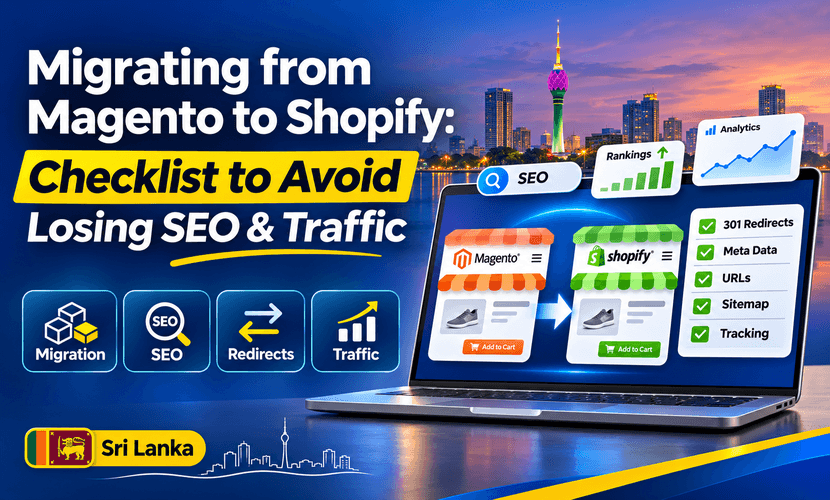
A Magento to Shopify migration checklist is mostly a list of URLs. The new theme is what customers see. Google still has the old Magento addresses. If those addresses die, the traffic that belonged to them dies with them. Redirects protect the URLs you map. They do not guarantee the same ranking or the same traffic after launch.
XLOXI PVT LTD runs this as a staged cutover: catalogue, redirects, theme, one real order, then publish. We are a Shopify Partner. “Shopify migration experts” in a search box should mean a team that will show you the URL map, not a slogan.
Before you touch the theme
- Export the Magento URLs that already get visits. Search Console, the sitemap, and a crawl are enough. Do not start from the full database of dead filter pages.
- List products, customers and orders you still need. Configurable products in Magento become Shopify variants. Not every option combination should become a variant if Magento was generating empty ones.
- Note store views. A US view and a UK view are two Shopify markets, not one currency switcher hidden in a theme file.
- Save title tags, meta descriptions and the body copy on pages that rank. Shopify will not import your SEO history by magic.
- Decide the new URL shape before you build. Changing /product-name.html to /products/product-name is normal. Doing it without a redirect is the mistake.
The checklist on move week
- Import the catalogue into a development store or an unpublished theme. Check a sample of variants, prices and images, not only the product count.
- Rebuild collections to match how people shop. Magento categories and layered navigation URLs do not all deserve a Shopify collection. Keep the ones that rank or that customers use. Redirect the rest to the closest real page, or to home only if there is nowhere better. A redirect to a random page is worse than a planned one.
- Write the 301 map. One old URL, one new URL. Include products, categories, CMS pages and blog posts that have links or impressions. Download it. This file is the SEO work.
- Put titles and copy back on the pages you kept. A shorter Shopify handle with the old title still tells Google what the page is.
- Connect payments, shipping and tax for the market you launch first. A pretty theme that cannot take payment is not a migration.
- Test on a phone: a product from an old URL, a collection, search, and one live order. Click ten old URLs from the map and confirm they land on the right Shopify page.
- Publish, then turn redirects on in the same window. Submit the new sitemap in Search Console. Keep the map. Check coverage and the sample of old URLs again after a few days.
Magento extensions for reviews, blog and search do not move themselves. Plan a replacement, or accept that those pages go away and redirect them.
Migrate WooCommerce to Shopify without losing SEO
To migrate WooCommerce to Shopify without losing SEO, use the same list. WordPress permalinks are the old URLs. Categories, products and posts that have impressions need a 301. Plugin pages and parameter URLs usually do not.
The platform choice, and the Sri Lanka payment difference, is in Shopify vs WooCommerce in Sri Lanka. This page is the move itself. “Without losing SEO” means you do not throw away URLs that already earn visits. It does not mean every keyword stays in the same position. A new theme, thinner content, or a removed collection can still drop a query. Watch Search Console after launch instead of announcing a recovery in advance.
What to ask Shopify migration experts
Ask for four things before you hire:
- A sample of the redirect map, not a promise of “100% SEO.”
- Where the work happens before go-live. A staging theme or development store should exist.
- Who checks ten old URLs after publish, and what happens if one 404s.
- Whether catalogue import, redirects and the theme are one quote or three surprises.
XLOXI does that scope for Magento and WooCommerce moves, including stores aimed at the US, UK, Australia and Europe. We do not publish a traffic percentage for a migration we have not measured on your Search Console.
Send the current site URL, roughly how many products, and which country you sell to through the quote form. Broader Shopify work is on Shopify services. A store that is new, not a move, belongs on store setup.
Questions we hear
What is a Magento to Shopify migration checklist?
Export the URLs that get visits, import the products you still sell, rebuild the collections that matter, write a 301 from each old URL to one new URL, restore titles and copy, test an order, then publish the redirects with the theme. Check a sample of old links after launch.
How do I migrate WooCommerce to Shopify without losing SEO?
Treat WordPress permalinks as the old URLs. Redirect products, categories and posts that have impressions. Leave junk parameter URLs out of the map. Rankings can still move if the new page is thinner or the collection is gone. The redirect stops the URL itself from 404ing.
Will I lose traffic if I move to Shopify?
You lose the traffic attached to URLs you do not redirect. You can also lose queries if the new page is worse. A complete map and the same useful content lower that risk. They do not freeze your rankings. We will not quote a traffic number before Search Console has data on the new store.
What should Shopify migration experts deliver?
A written URL map, a staging store, a test order, and a check of old links after go-live. XLOXI scopes Magento and WooCommerce moves that way. The Partner listing is public. The traffic claim is not something we invent.